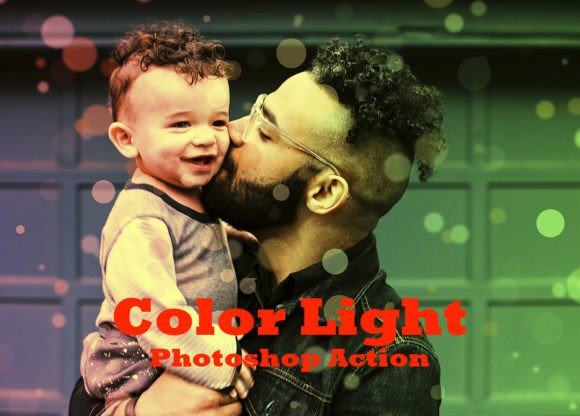
Color Light Photoshop Action Guide
Transforming a flat photograph into a vibrant, glowing masterpiece often feels like magic to the uninitiated. In reality, it is simply a matter of having the right tools and understanding how light interacts with digital pixels. The Color Light Photoshop Action serves as one of those essential tools, bridging the gap between a raw capture and a polished final image. Whether you are a small business owner needing quick social media graphics or a professional photographer looking to streamline your workflow, this resource offers a practical solution for enhancing visual appeal without requiring advanced technical skills.
What Is the Color Light Photoshop Action?
At its core, a Photoshop action is a recorded sequence of steps that you can play back on any image with a single click. Think of it as a recipe for photo editing. Instead of manually adjusting curves, blending modes, and layer masks every time you open a new file, the Color Light Photoshop Action automates these complex processes. It applies specific lighting effects, color grading, and atmospheric enhancements instantly.
This particular tool is not just a simple filter; it is a comprehensive package designed to give your images depth and dimension. It comes equipped with a complete set of resources, including one ATN file which contains the actual action script, one ABR file for custom brushes, and one PAT file for seamless patterns. Additionally, it includes dedicated help files to guide you through the installation and usage process. This all-in-one approach ensures that you have everything needed to create stunning visuals immediately upon opening the software.
Why Non-Destructive Editing Matters
One of the most critical features of this action is that it is entirely non-destructive. For beginners and professionals alike, this concept cannot be overstated. Traditional editing methods often alter the original pixel data permanently. If you make a mistake or decide you want to try a different look later, you might find yourself stuck with a ruined file. The Color Light Photoshop Action avoids this pitfall by working on separate layers.
Because the action creates well-arranged layers, every effect is isolated. You can tweak the intensity of the light, change the color temperature, or hide specific elements without ever touching the original photograph. This flexibility allows you to experiment freely. If a client asks for a "warmer" tone or a "softer" glow, you can adjust the opacity of the relevant layers rather than starting from scratch. This adaptability makes the tool invaluable for commercial work where revisions are common.
Key Features That Enhance Your Workflow
The value of this tool extends beyond the basic automation. Its design focuses on usability and control, ensuring that the results look natural rather than artificial. Here are the standout characteristics that make it a favorite among creators:
- Adjustable Layers: Every element added by the action sits on its own layer. You can move, resize, mask, or delete them at will. This level of control ensures that the lighting effects blend seamlessly with your specific subject matter.
- Bonus Brushes and Patterns: The included ABR brush file allows you to paint additional light sources or texture onto your image manually. The PAT pattern file provides ready-to-use textures that can be overlaid to add grit, grain, or artistic flair.
- Comprehensive Help Files: Documentation is often overlooked in digital products, but here it plays a vital role. The help files ensure that even users with limited experience can install and utilize the action effectively.
- Compatibility: The action is engineered to work across a wide range of software versions, including CS4, CS5, CS6, and CC. This longevity means that whether you are using an older machine or the latest subscription, the tool remains accessible.
Practical Applications for Different Users
The versatility of the Color Light Photoshop Action makes it suitable for a diverse audience. Let's explore how different types of users can leverage this tool to meet their specific goals.
For Photographers and Creatives
Portrait photographers often struggle with dull lighting in studio shots or challenging outdoor conditions. By applying this action, they can instantly introduce dramatic rim lighting, soft glows, or cinematic color tones. The adjustable layers allow them to fine-tune the effect so it complements the subject's skin tones and mood. Similarly, landscape artists can use the included brushes to enhance sunrises or add ethereal fog effects using the provided patterns.
For Marketers and Small Business Owners
In the digital marketplace, high-quality imagery is currency. Bloggers and entrepreneurs need eye-catching content to stop the scroll on social media platforms. Creating professional-grade graphics from scratch requires time and expensive software training. With this action, a small business owner can take a standard product photo and elevate it to look like a high-end advertisement. The ease of use means you can produce consistent branding assets quickly, saving hours of manual editing time.
For Educators and Hobbyists
Learning Photoshop can be intimidating. The step-by-step nature of this action serves as an educational tool in itself. By observing how the layers are arranged and how the effects are applied, students and hobbyists can reverse-engineer the process to learn about blending modes and masking. It demystifies the creative process, turning a daunting task into an enjoyable exploration of digital art.
Important Considerations Before You Start
While the Color Light Photoshop Action is powerful, there are a few things to keep in mind to get the best results. First, remember that this tool is designed specifically for the English version of Photoshop. Users with localized versions of the software may encounter compatibility issues, so ensure your interface language matches the requirement.
Secondly, while the action does the heavy lifting, the quality of your source image still matters. It enhances what is already there; it cannot fix a poorly exposed or low-resolution photo completely. For the most striking results, start with a decent base image. Finally, note that the images shown in the preview gallery are for demonstration purposes only and are not included in the download. You will be creating your own unique masterpieces using your own photos.
Getting Started with Ease
Using this tool is straightforward. Once you have downloaded the files, you simply load the ATN file into your Photoshop Actions panel. Open your image, select the action, and hit play. Within seconds, the transformation occurs. From there, you can dive into the layers panel to customize the look. The included help files provide detailed instructions on installing the brushes and patterns if you wish to take full advantage of the bonus materials.
Whether you are aiming to boost your portfolio, improve your marketing materials, or simply enjoy the creative process, the Color Light Photoshop Action offers a reliable, efficient, and flexible way to achieve professional results. By combining automation with manual control, it empowers users of all skill levels to bring their visual ideas to life with confidence and style.